01 · Race day
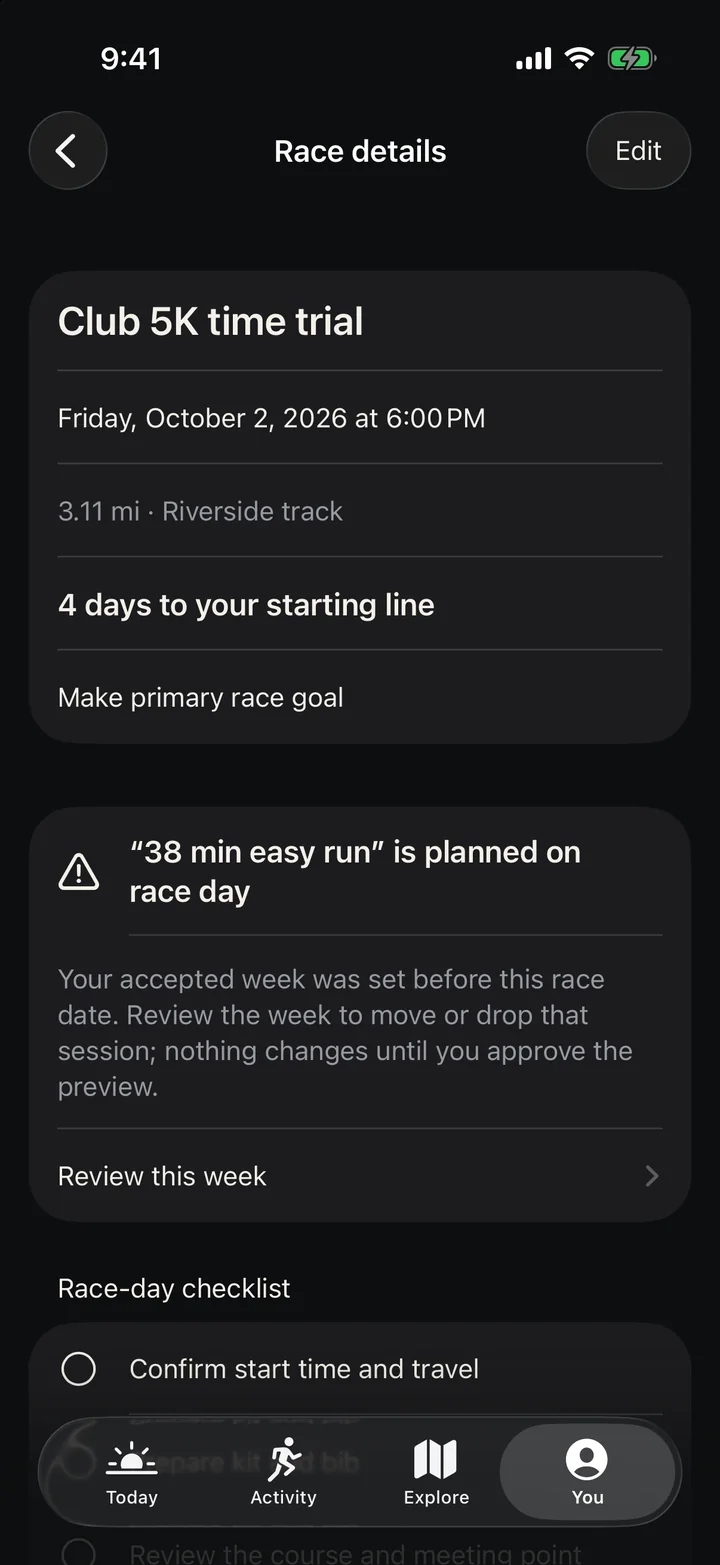
A race lands on a training day.
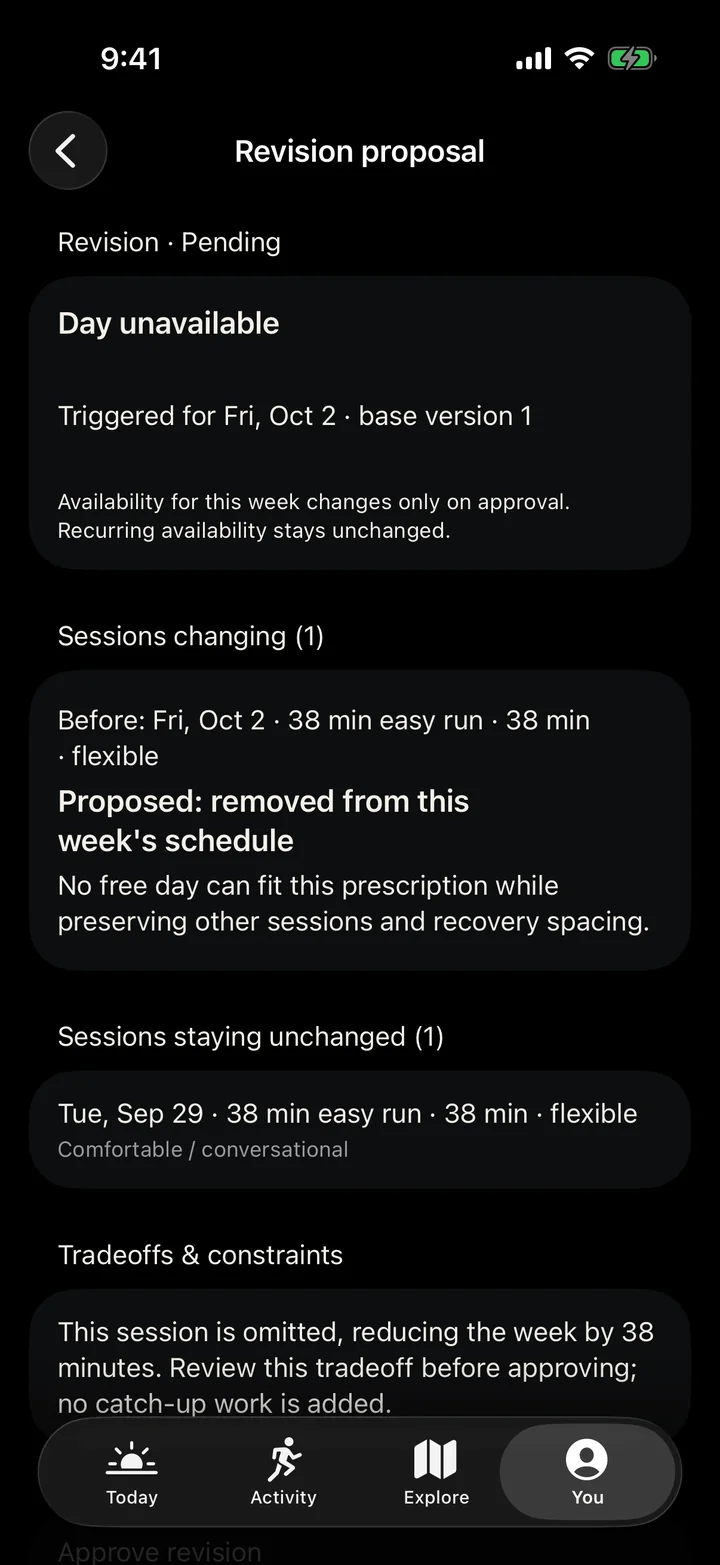
Save a race after your week is set and Northline flags the clash. Open the week, see what changes and why, then approve it.
 Early access
Running training for iPhone
Northline plans your running week around the time you actually have. When the week moves — a race, a missed run, a busy Tuesday — it shows you what changes before anything does.


01 · Race day
Save a race after your week is set and Northline flags the clash. Open the week, see what changes and why, then approve it.
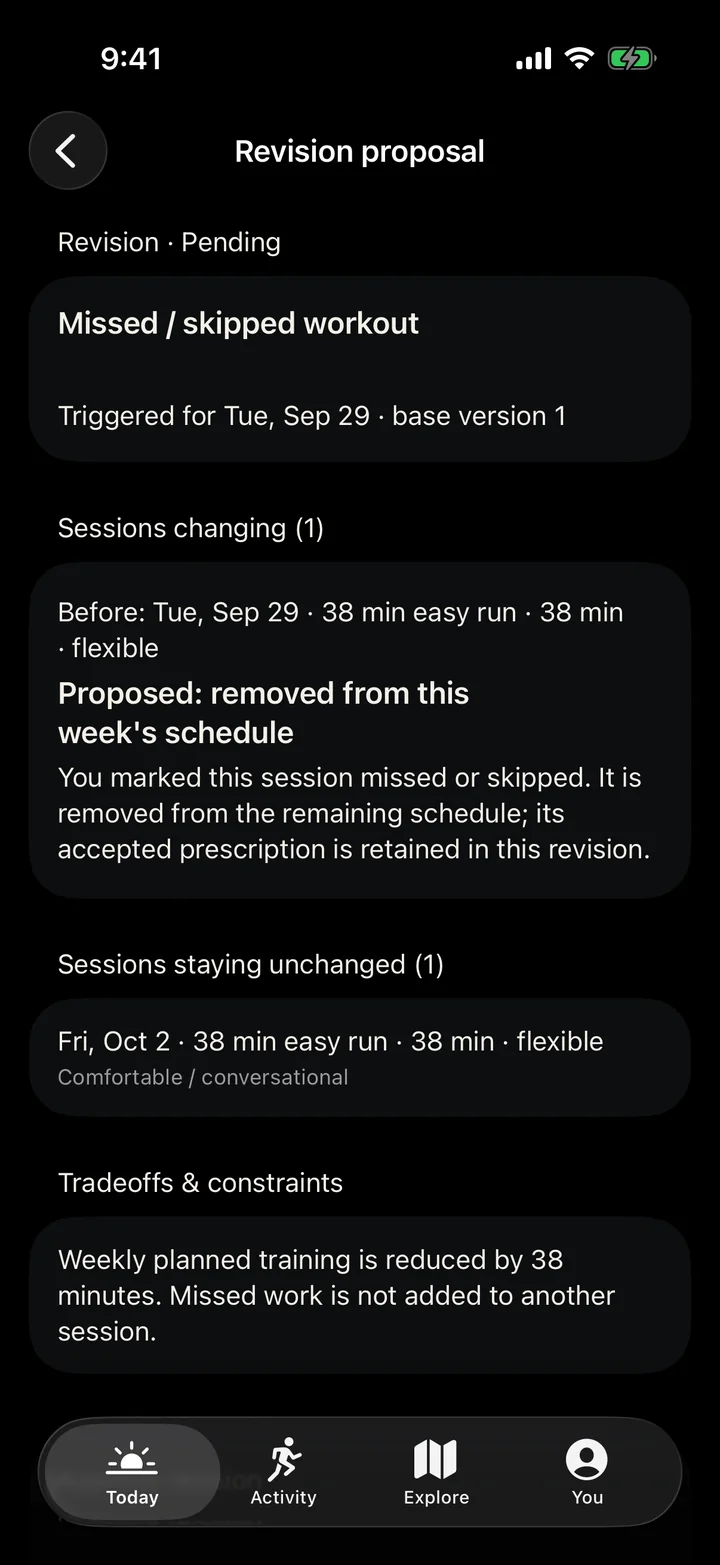
02 · Missed run
It comes off the week. No catch-up, no doubling up tomorrow. The rest of the week stays sensible.
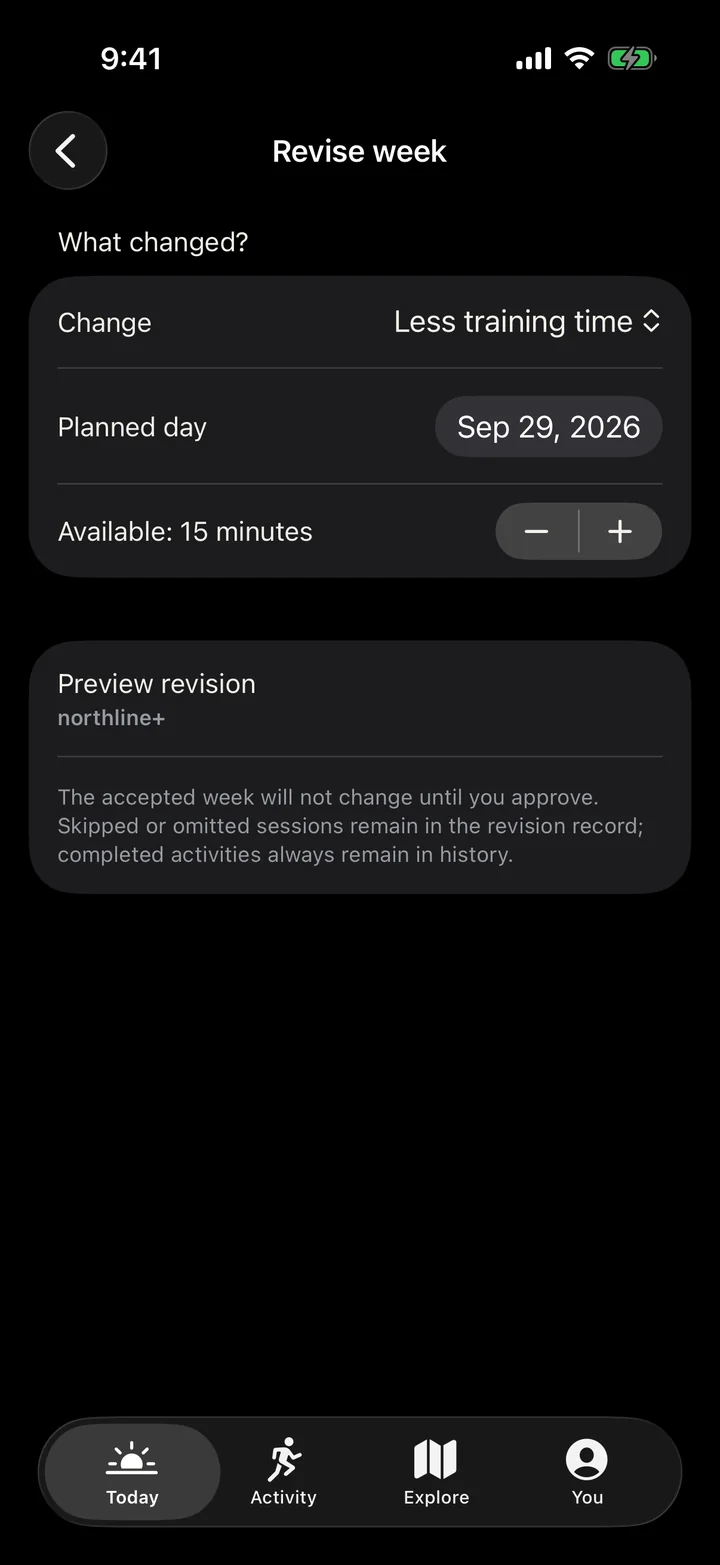
03 · Short on time
Tell Northline how many minutes you have. It shortens that session to fit and keeps its purpose where it can.
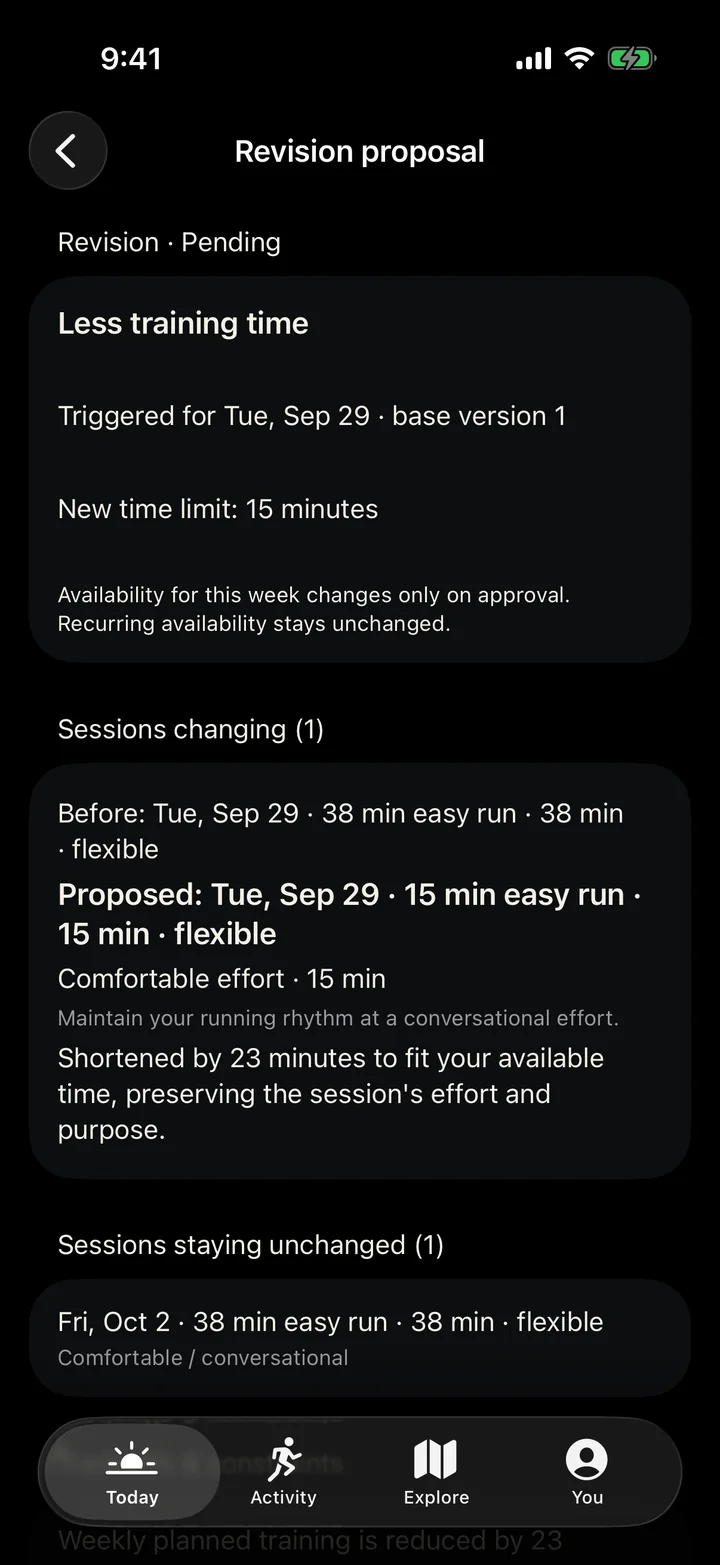
04 · Your real week
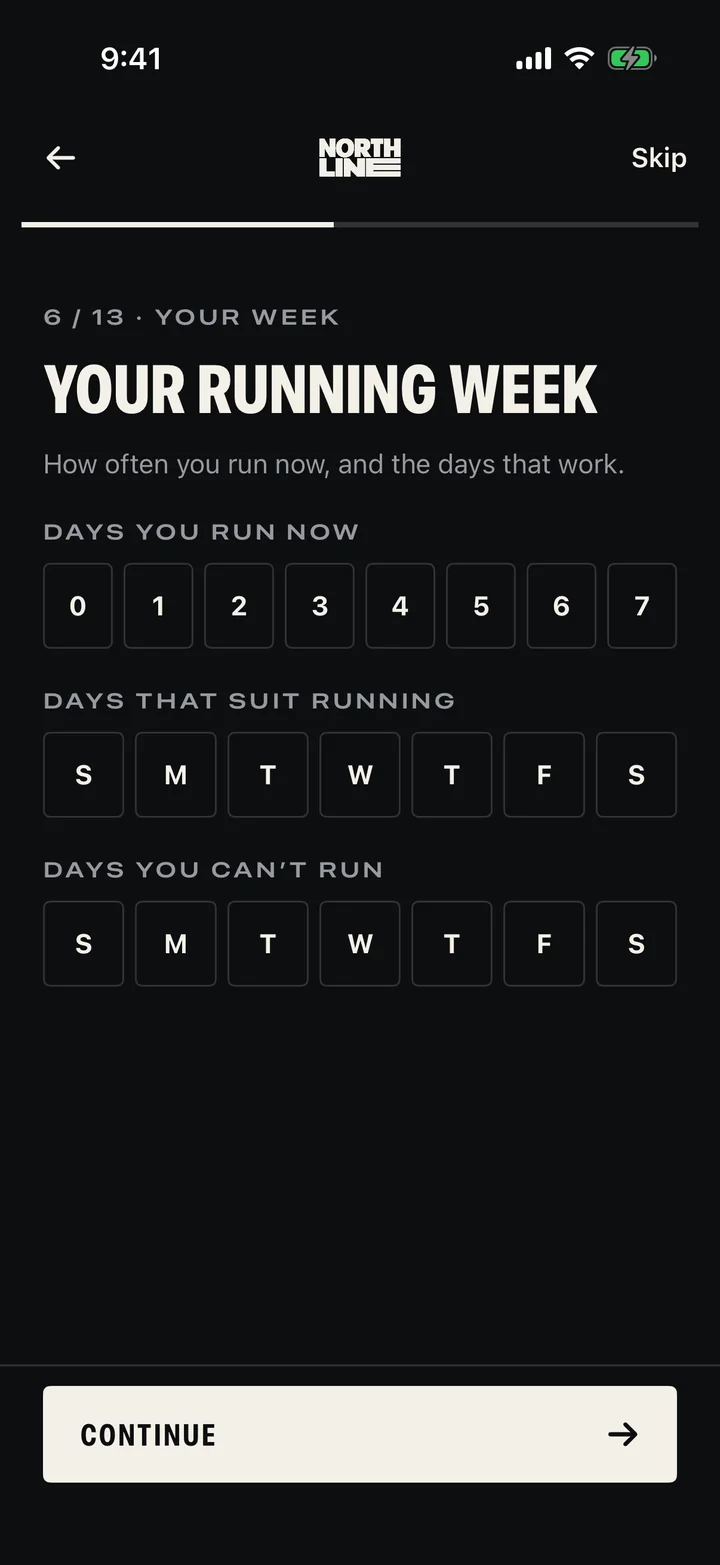
Pick the days you can run, the ones you can’t, your long-run day and how much time you’ve got. The week is written around that — not a template.
Every change starts as a preview: the week before and after, with the reason for each session. Approve it, adjust it, or keep your week as it was. Changed your mind? Undo it.
Launching soon on iPhone
We’re letting a small group of runners in before the App Store launch. Leave your email and we’ll send an invite when there’s room.